Welcome to the SRD Updates, one the trusted source checking your SASSA status, SRD R350/R370 grant payment dates, and the latest grant updates in South Africa. Here on our website you can easily check your SASSA SRD application status, also can track your payments dates and can get step by step help if your grant is pending, declined, or approved but unpaid
We provide fast, accurate, and easy-to-understand information to help you stay updated without stress.
SASSA Grant Payment Schedule 2026
| Month | Older Persons Grant / War Veterans | Disability Grant / Grant-in-Aid | Children’s Grants (Child Support, Foster Care) | SRD R370 Payment Dates |
|---|---|---|---|---|
| Jan 2026 | 6 Jan 2026 (Tue) | 7 Jan 2026 (Wed) | 8 Jan 2026 (Thu) | 25–31 Jan 2026 |
| Feb 2026 | 3 Feb 2026 (Tue) | 4 Feb 2026 (Wed) | 5 Feb 2026 (Thu) | 22–28 Feb 2026 |
| Mar 2026 | 3 Mar 2026 (Tue) | 4 Mar 2026 (Wed) | 5 Mar 2026 (Thu) | 24–30 Mar 2026 |
| Apr 2026 | 2 Apr 2026 (Thu) | 3 Apr 2026 (Fri) | 6 Apr 2026 (Mon) | 23–29 Apr 2026 |
| May 2026 | 6 May 2026 (Wed) | 7 May 2026 (Thu) | 8 May 2026 (Fri) | 25–31 May 2026 |
| Jun 2026 | 3 Jun 2026 (Wed) | 4 Jun 2026 (Thu) | 5 Jun 2026 (Fri) | 24–30 Jun 2026 |
| Jul 2026 | 2 Jul 2026 (Thu) | 3 Jul 2026 (Fri) | 6 Jul 2026 (Mon) | 23–29 Jul 2026 |
| Aug 2026 | 5 Aug 2026 (Tue) | 6 Aug 2026 (Wed) | 7 Aug 2026 (Thu) | 25–31 Aug 2026 |
| Sep 2026 | 2 Sep 2026 (Wed) | 3 Sep 2026 (Thu) | 4 Sep 2026 (Fri) | 24–30 Sep 2026 |
| Oct 2026 | 2 Oct 2026 (Thu) | 5 Oct 2026 (Mon) | 6 Oct 2026 (Tue) | 25–31 Oct 2026 |
| Nov 2026 | 4 Nov 2026 (Wed) | 5 Nov 2026 (Thu) | 6 Nov 2026 (Fri) | 24–30 Nov 2026 |
| Dec 2026 | 2 Dec 2026 (Tue) | 3 Dec 2026 (Wed) | 4 Dec 2026 (Thu) | 23–29 Dec 2026 |
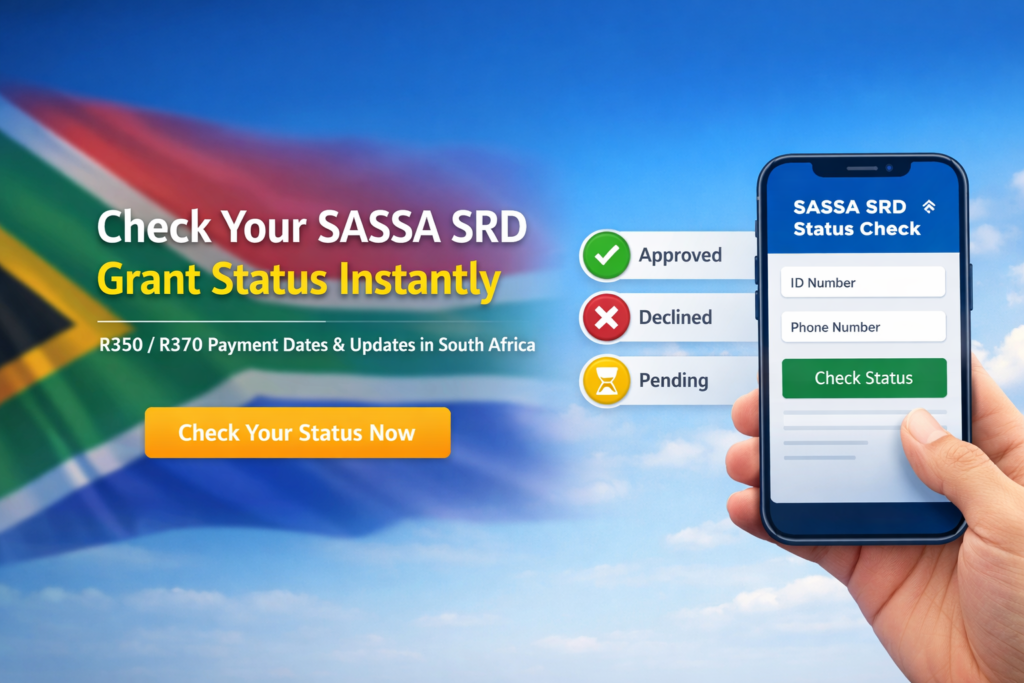
Official Ways to Check SASSA SRD Status
To check your SASSA SRD status, always use official SASSA platforms:
✅ 1. Official SASSA SRD Website
- Visit: srd.sassa.gov.za
- Enter your South African ID number and the phone number used in your application.
- View your application status and payment history instantly.
✅ 2. WhatsApp Status Check
- Save: 082 046 8553
- Send: “Status”
- Follow prompts to receive your SRD application status.
✅ 3. USSD Code (No Internet Needed)
- Dial: 1203227# or 1206927#
- Enter your ID and phone number.
- View your SRD status directly on your screen.
✅ 4. Moya App (Data-Free)
- Open Moya App
- Go to Discover → SASSA SRD
- Enter your ID number to check your status.
✅ 5. SASSA Call Centre
- Call: 0800 60 10 11
- Speak to a consultant to check your grant status.
What Your SRD Status Means
🟢 Approved
You qualify for the SRD R350/R370 grant for that month.
Your payment date may take a few days to appear while processing is completed.
What to do:
✔ Check the portal daily
✔ Ensure your banking details are correct
✔ Wait for SMS if using Cash Send
🔴 Declined
SASSA found a reason why you do not qualify for that month.
Common reasons:
- Bank balance above the allowed limit
- Receiving UIF, NSFAS, or another SASSA grant
- Incorrect personal or banking details
Solution:
👉 Submit an appeal at srd.dsd.gov.za within 30 days.
🟡 Pending
Your application is still being processed.
Why it happens:
- High volume of applications
- Waiting for verification from other government systems
Solution:
✔ Be patient
✔ Check your status weekly
✔ Ensure your details remain unchanged
🔵 Referred
Your application needs extra verification due to a security or identity flag.
Solution:
✔ Complete biometric verification if requested
✔ Visit a SASSA office if needed
Status Check Section (Tool Area Text)
🔍 Check Your SASSA SRD Status
Use our free online status checker to:
- Check SASSA status online
- View R350 / R370 payment dates
- Track appeal status
- Understand your application outcome
👉 Enter your details to check your SRD SASSA status instantly.
(Note: We are not affiliated with SASSA. We only provide guidance and information.)
SASSA SRD R370 Appeal Guide
If your in problem and your SRD GRANT application is declined, than dont worry you have right to appeal. Normally appeals are handled by the Independent Tribunal for Social Assistance Appeals (ITSAA, which works independently from SASSA.
You need to submit a new appeal for each month that shows a “Declined” status.
It’s very important to check your appeal regularly, as system errors can sometimes be corrected, and your SRD R370 grant will be approved.
Before You Appeal
- ITSAA reviews SASSA decisions independently.
- Submit your appeal within 30 days of receiving a decline notice.
- Processing can take 60–90 days.
- Appeals must be submitted through the official SASSA portal using your ID number and phone.
How to Submit an SRD Appeal Online
- Go to the official portal: https://srd.sassa.gov.za
- Enter your South African ID number and the phone number used for your application.
- Click “Send PIN” to receive a one-time code via SMS.
- Select the month you want to appeal.
- Choose the most relevant reason (e.g., “Income source identified incorrectly”).
- Submit your appeal and check your status regularly.
How to Check Your SRD Appeal Status
- Go to the Check Appeal Status section on the portal.
- Enter your ID number and phone number.
- Verify using the OTP sent to your phone.
- Your result will show: Approved, Declined, or Under Review
Contact SASSA for Help
If your issue cannot be resolved online:
- Call: 0800 60 10 11
- Email: grantenquiries@sassa.gov.za
- Visit a SASSA Office: Bring your ID and phone number linked to your SRD application
- Official Website: www.sassa.gov.za
Always provide your South African ID number when using USSD codes or online tools. These services are free. You may receive an SMS showing your SRD grant balance.
Frequently Asked Questions (FAQs)
Q1. Why is my approved payment delayed?
SASSA releases SRD R370 payments in batches. Approval means you are eligible, but payment will be processed once your batch is completed.
Q2. Can I appeal a declined status?
Yes. You can submit an appeal within 30 days of receiving a declined outcome through the official SRD portal.
Q3. What if my status shows “Approved” but no payment date?
Wait a few days. Sometimes the system updates payment dates after approval.
Q4. How long does it take to receive payment after approval?
Once approved, payments are processed according to your selected method.
Q5. How can I check my SASSA grant payment status?
You can check your status via the official portal, WhatsApp, USSD, or the SASSA call centre.